Features
We will approximately measure features on a point system, with the number of points needed for full completion depending on the number of members in your group. Our expectation is that larger groups should do more, but integrating a larger number of features can also be more work. To this end, the number of features we will look for to award full completion credit roughly scales with the number of members in a group, but larger groups may receive credit for integrating more features if this is done well. We are also reasonably open-minded here---implementing one very complex feature super well could be enough for a team of 4 if it is done very well and the work can reasonably be divided among 4 people (e.g., if you implemented a really impressive fluit simulation), but that would be the rare exception, not the rule. We will ask you to report who did what, and if contributions are especially uneven we may assign different grades to different group members.
Note that especially good player and camera movement can be worth a point or more if done well. This generally means providing intuitive controls and smooth filtered camera motion.
This example I showed in class would probably get a point for camera and motion controls in addition to the other features:
Some Ideas
Procedural Terrain
You can implement deformable procedural terrain.
- Characters and other elements should be able to move and interact with the terrain
- You should be able to modify the terrain and render these modification efficiently
The starter code already sets up a displacement shader for the terrain and initializes a data texture that gets fed to the displacement shader. This means a lot of the tricky setup is done for you. But you still need to work out all the proper transformations to make sure that the rendered terrain matches any application logic that deals with interacting with said terrain. You will also need to use some of what you learned from the imaging part of the course to sample, interpolate, and modify terrain height values. Without interpolation, your characters will bounce around in a stair-steppy pattern.
You can see a smoothed version in the demo video above.
There are few different pieces to making this work. One part is getting the transforms between height map, terrain, and player location correct. Another part is properly sampling the height map (e.g., with bilinear interpolation) to ensure that your player moves smoothly.
Shaders
You can write custom shaders to create new material effects. E.g.:
- Modify diffuse and specular shading to do toon shading / cell shading
- Implement normal mapping on a non-flat surface
- Implement procedural normal or texture mapping
- Other cool material effects, e.g., chrome reflections and mirrors.
Toon Shading
Toon shading can be done by quantizing the brightnesses and colors of fragments for the diffuse and specular components and adding an inking pass by rendering the back faces of the mesh as black and translated along their normal vectors. I'll talk a bit about this in lecture.
Multi-pass shaders
Check out the
Example2 and Example3 example scenes for starter code on multipass rendering techniques.Example2
Example 2 shows how to render to texture, then render a second time with the texture mapped to some surface. You can use this as a good starting point to render things like reflections:
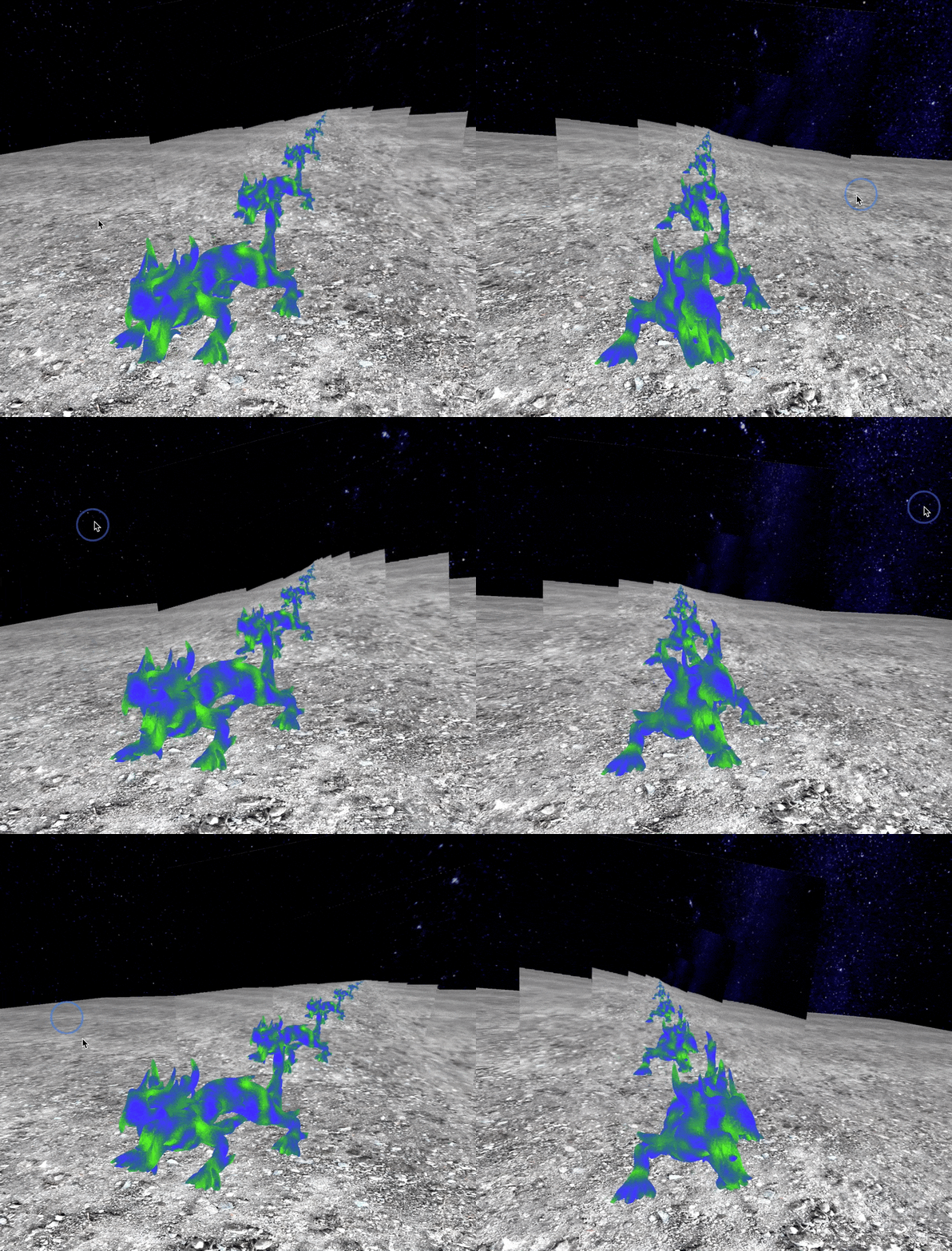
If you use this technique in a cool way that will count as a feature. This means something like a ripply reflection off of a water surface, or a hall of mirrors or something.
Example3
Example 3 shows how to render to a texture then render the texture to the screen with a custom shader. The example simply applies a sinusoidal distortion to the texture, but you can explore much cooler effects, like motion blur:
Particle Systems
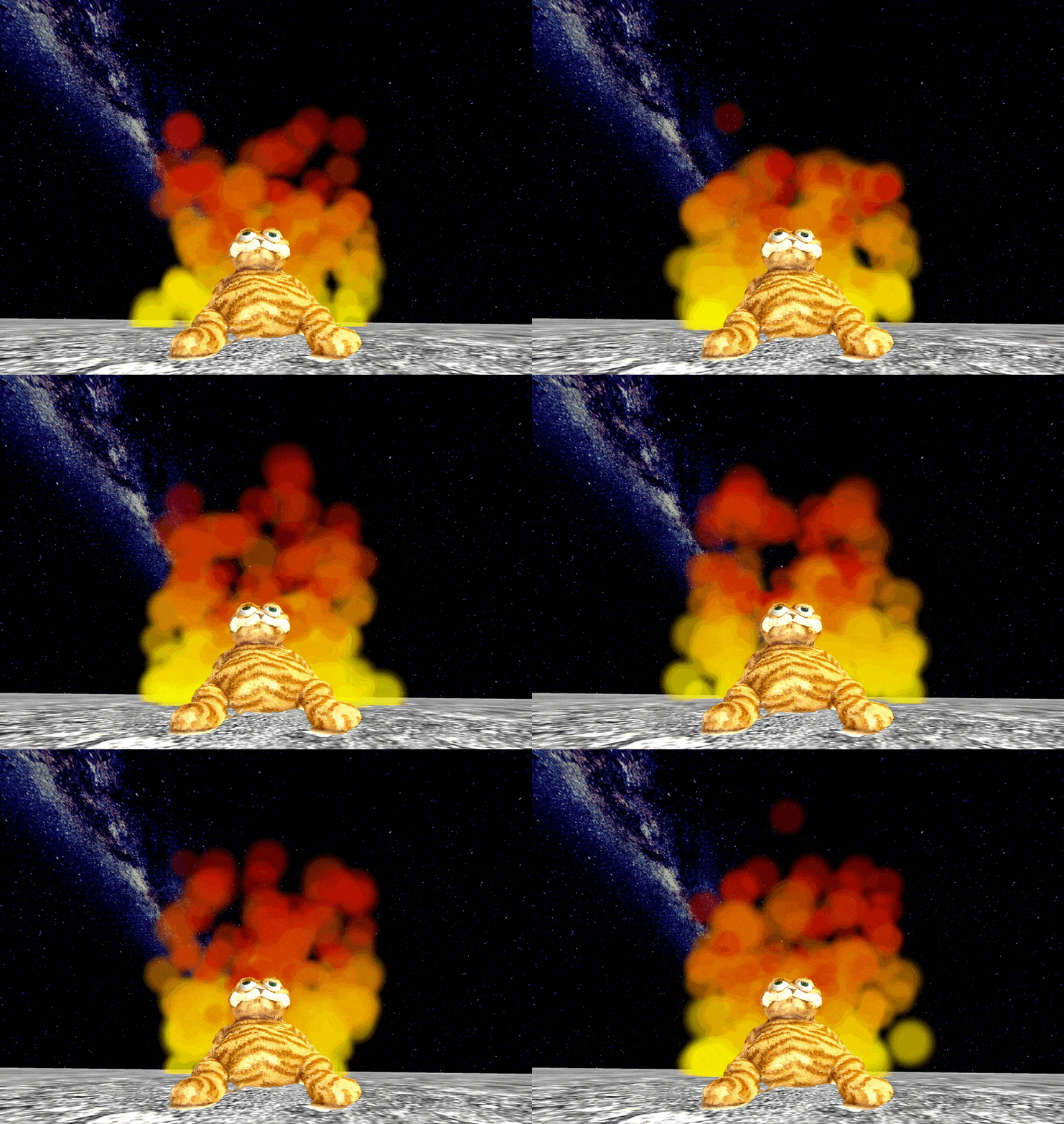
Some cats just want to watch the world burn...
Cool particle system effects (e.g., a 3D flame!). The cooler, the more it is worth. There is an extremely simple example particle system in the provided code to get you started.
A 3D version of the flame from C1 would probably be worth around one person's contribution to full completion on a project. The functionality shown here is pretty simple, but it shows what properly working billboard particles could look like:
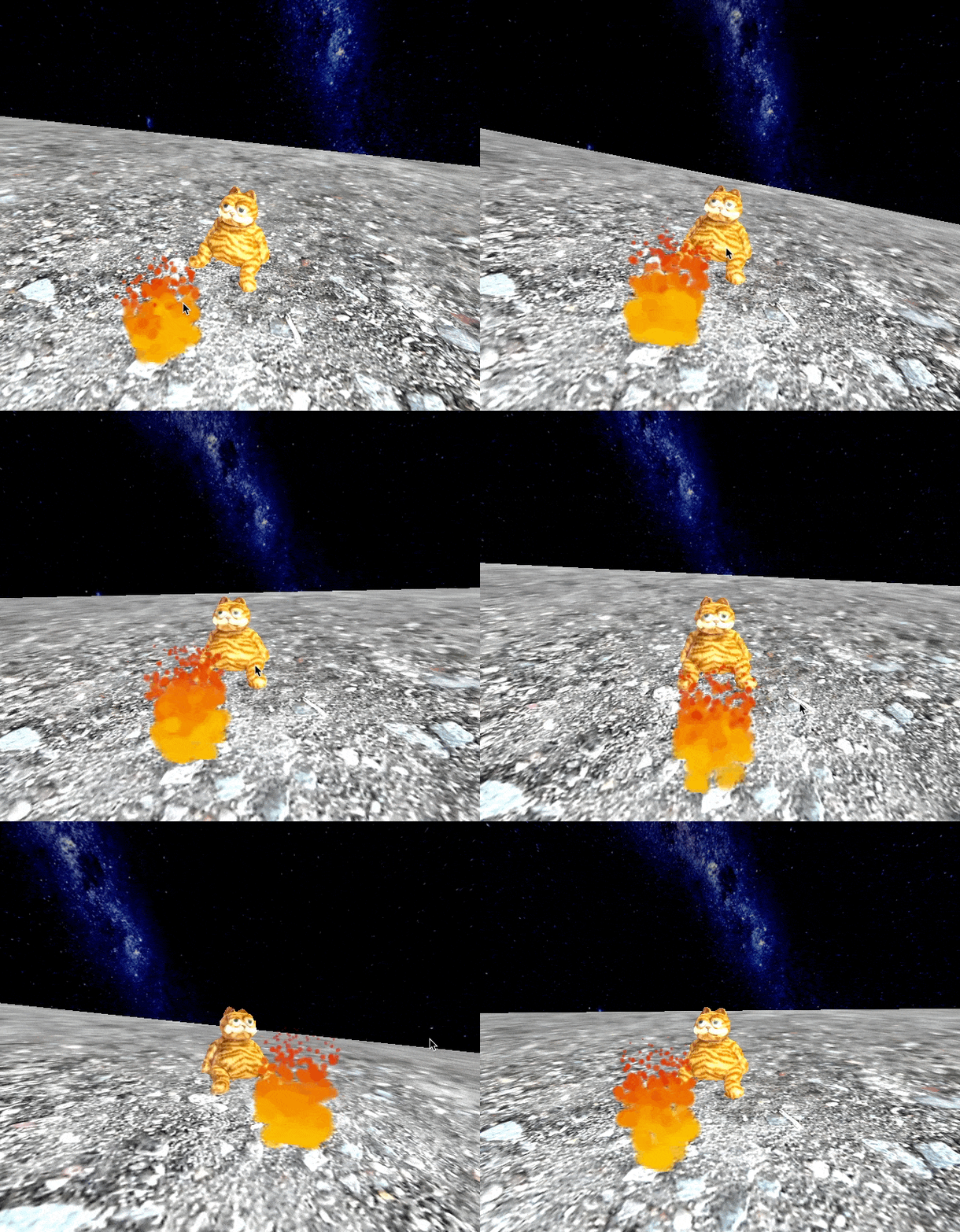
As another feature, you can try to get Lab Cat to reflect on his actions by implementing mirrored surfaces...